We previously rolled out Phase I and Phase II of the Olvy clean-up initiative. Today marks Phase III - and it’s an important one.
🗑️ Delete Profile
If a user isn’t associated with any workspace and wants to delete their Olvy account entirely, they can now do so via the new “Delete Profile” action.
We never like to see users leave - but we fully support your right to.
Once you delete your profile, you’re immediately logged out and all your data is permanently removed after a 3-day wait period
Clear.


Your changelog widgets were doing the work. Now you can finally see the results.
We’ve introduced changelog widget-level analytics - so you can track how each individual widget is performing, whether it’s inside your app or sitting proudly on your website. Now you’ll know whether users are checking your product momentum, and how they’re engaging. No more guessing, just data. 📊
What You Can Track
Just like dashboard and release-level analytics, widget analytics gives you:
Total Views – How many time
We’re back with another weekly update. Not for the streak. For the substance.
This one’s all about making sure your announcements land exactly the way they should.
📧 Email Reliability - Fixed. For Real.
We noticed something off.
The number of subscriber emails sent after publishing a new release didn’t always match your active subscriber count. In some cases, a few folks even received duplicate emails (not ideal 😅).
We dug deep into the email service, cleaned up the underlying issues, and shipped s
Nothing dramatic this time - just a couple of thoughtful upgrades to make your release workflow feel cleaner and more predictable (the way it should be 😉).
📣 Broadcast Step - Now Playing Nice
We’ve aligned Slack notifications with Email behavior so things feel consistent across the board.
For example, just like email notifications, Slack notifications are now sent only once when you publish a new release. The UI will clearly indicate what happens in each scenario.
Simple, predictable, and less men
We are building the BEST Product Communications software in the world. And we continue to make Olvy better. It's another week here & we have just deployed the next set of enhancements on the Changelog front.
Full Changelog Translations
So far you were able to add translations for the releases on any given Changelog page or Announcement widget. But the Changelog level configurations themselves remained beyond translations. For example, name of your changelog page or its subtitle. Even the C
Hola, hope your week is going great so far 🙏
We previously announced the Olvy clean phase I. Today's release is really the phase II in that direction.
Up until now if a user deleted all of their workspaces, they were forced to create a new workspace rather than letting them access the User Profile related sections within Olvy. That changes today.
Now, even if there is no workspace associated with a user - they can access their Profile related sections - such as password updates etc. Next, we
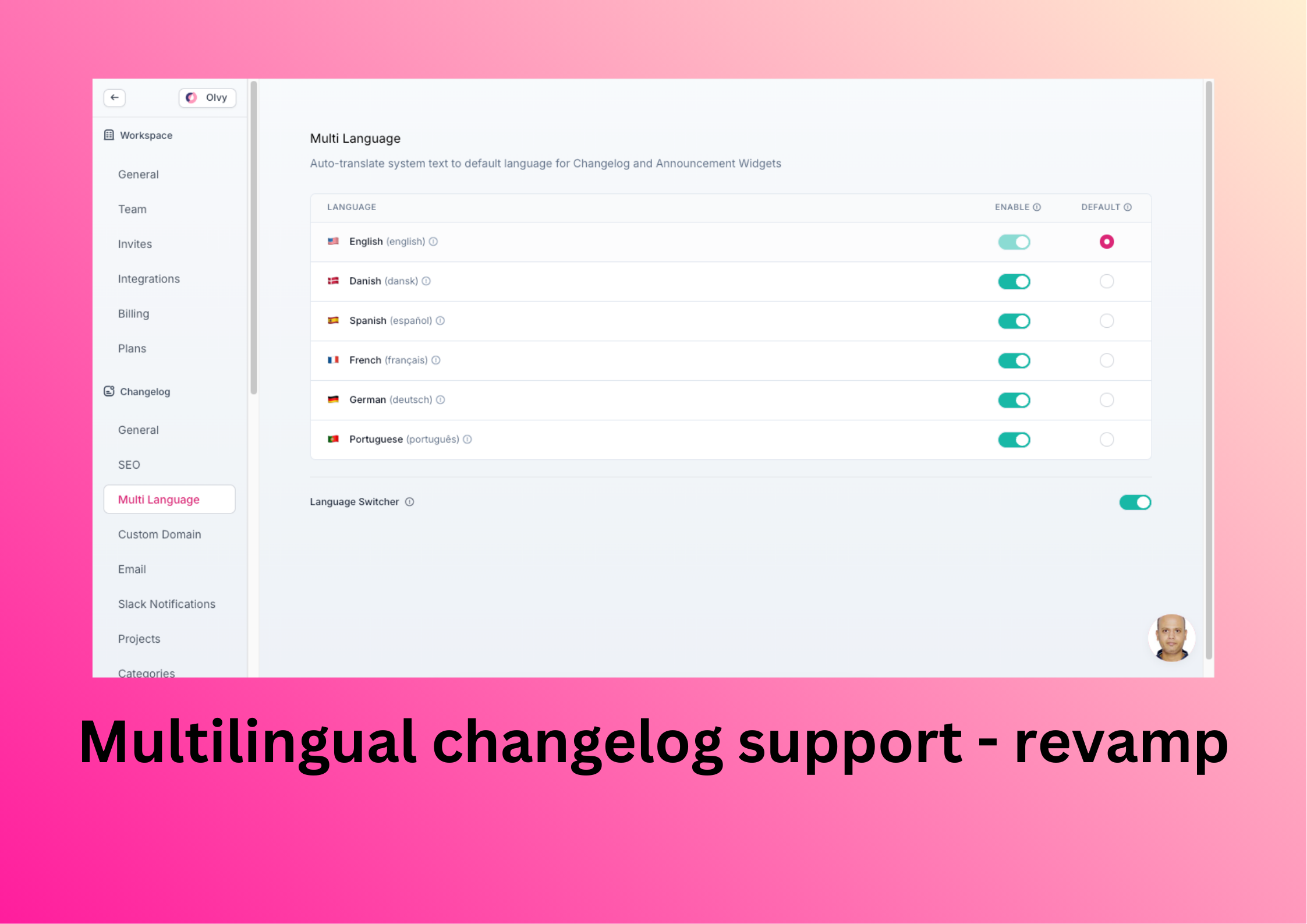
We are really diving in deeper with these Changelog translation changes now. In the next couple of releases, you would end up being able to modify literally every part of the Changelogs to different languages you want to support.
This release lays the groundwork for that change. As a first step, we have mainly revised the screen for multilingual changelog support. Below is how that screen looks now.
 Changelog Email Subject is Now Auto-populated
Up until now, the email subject for a new release in y

Helloww, we hope your 2026 has started on the right notes 🎹
Slack Enhancements for Changelog Publishing
We are here with yet another update to Changelog publishing flow. Earlier, you had the ability to set up Slack integration & also configure the Slack channel for sending Changelog updates at a single place. That is now decentralised.
The main Slack set up remains under integrations but Changelog related Slack set up is moved to Settings --> Changelog --> Slack notifications. Moreover,
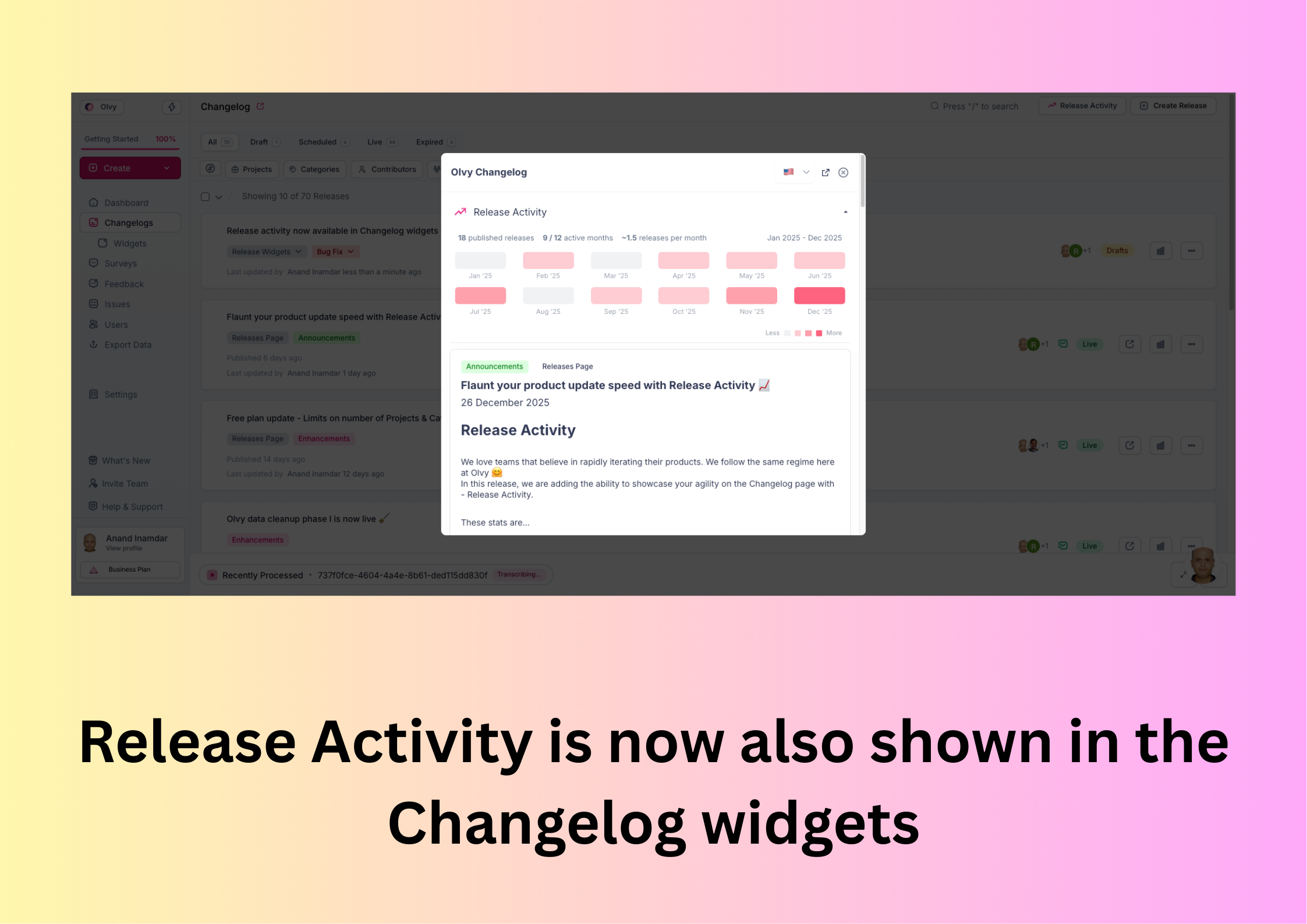
Last week we had made the 'Release activity' available on Changelog pages. Today (although it's the last day of the year 😉) we are making them available on the Changelog widgets.
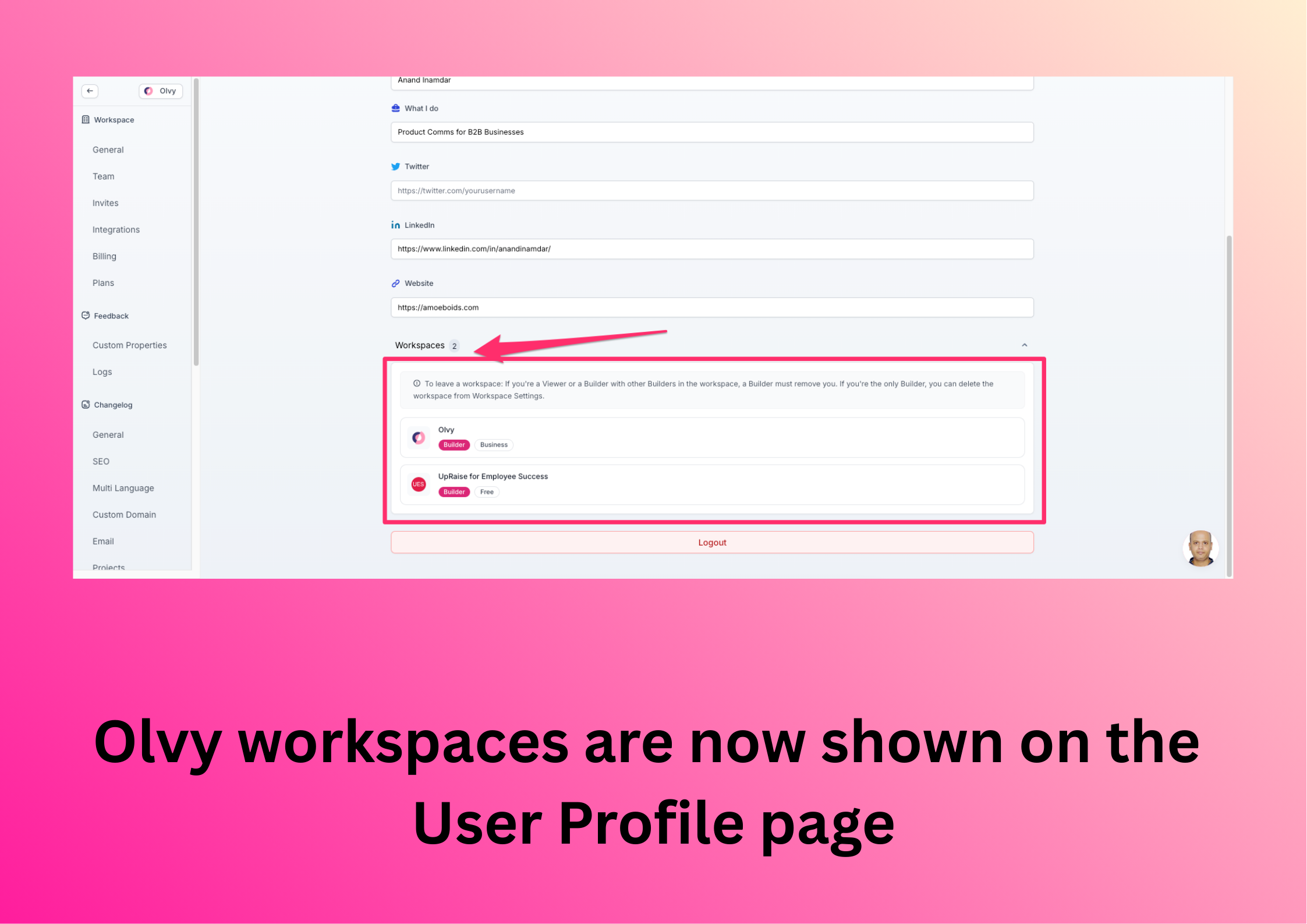
🔖 Workspaces on User Profile
We are taking the steps to make it easier for users to delete their Olvy accounts (although we don't want to see you go 😢 ). As a first step, all the Olvy workspaces a user is associated with are now displayed on the User profile screen.
🐞 Bug fix
We were so excited for you a
Release Activity
We love teams that believe in rapidly iterating their products. We follow the same regime here at Olvy 🤗
In this release, we are adding the ability to showcase your agility on the Changelog page with - Release Activity.
These stats are available to all the logged in users of the Olvy workspace from the Release listing page. And Builders can turn these on on the changelog page - if the workspace is on any of the paid plans.
We will be making Release activity stats available on Chang