Bug Fix Enhancements
Feedback Integrations
29 May 2026
The video processing queue on the Sources page has a new home.
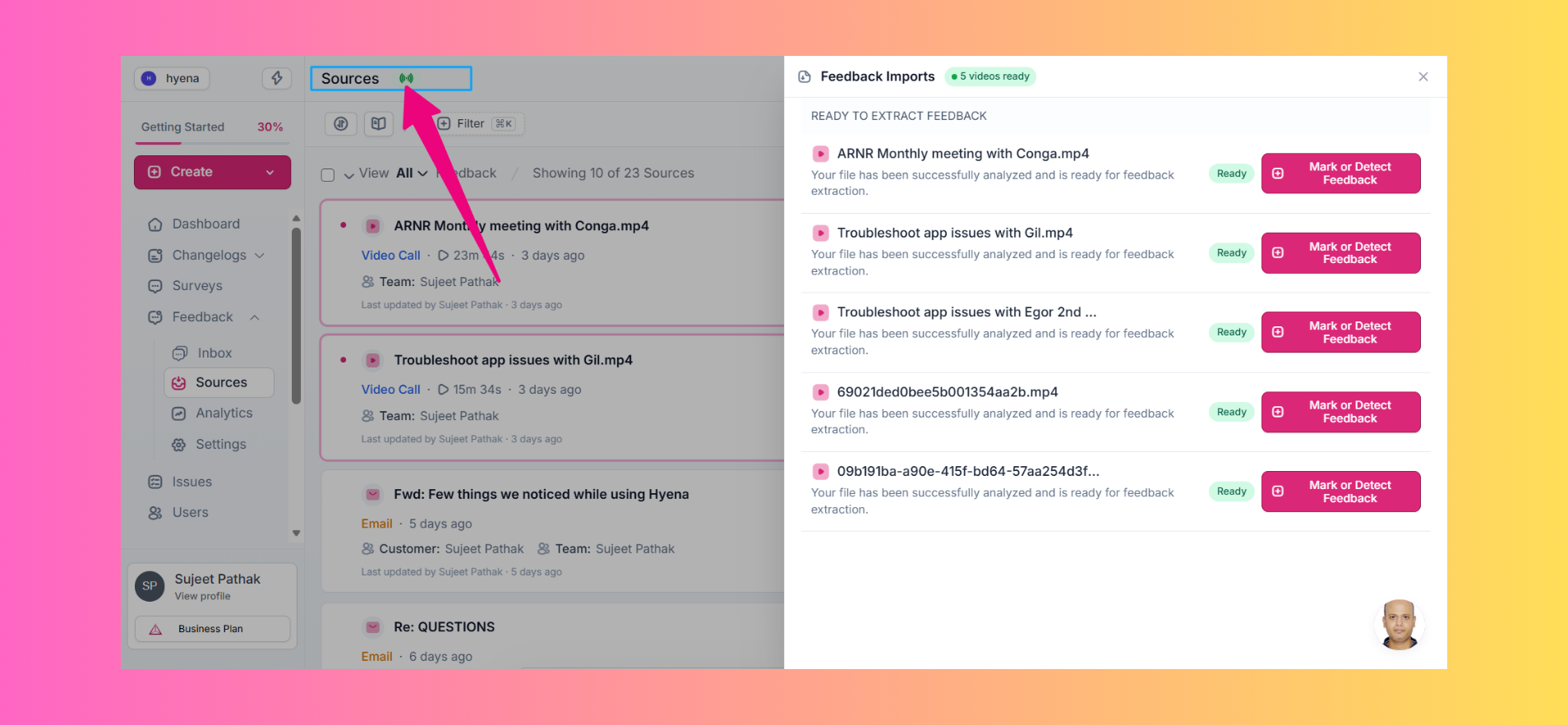
Previously, it lived at the bottom of the page, alongside several other actions and widgets, making the area feel a little crowded.
To keep things cleaner, the queue has been moved into a dedicated side panel.
Simply click the green status indicator next to the Sources page title to view the processing queue and track your video imports. 🚀
📊 Track AI & Video Usage
You can now monitor your workspace's AI and video processing consumption.
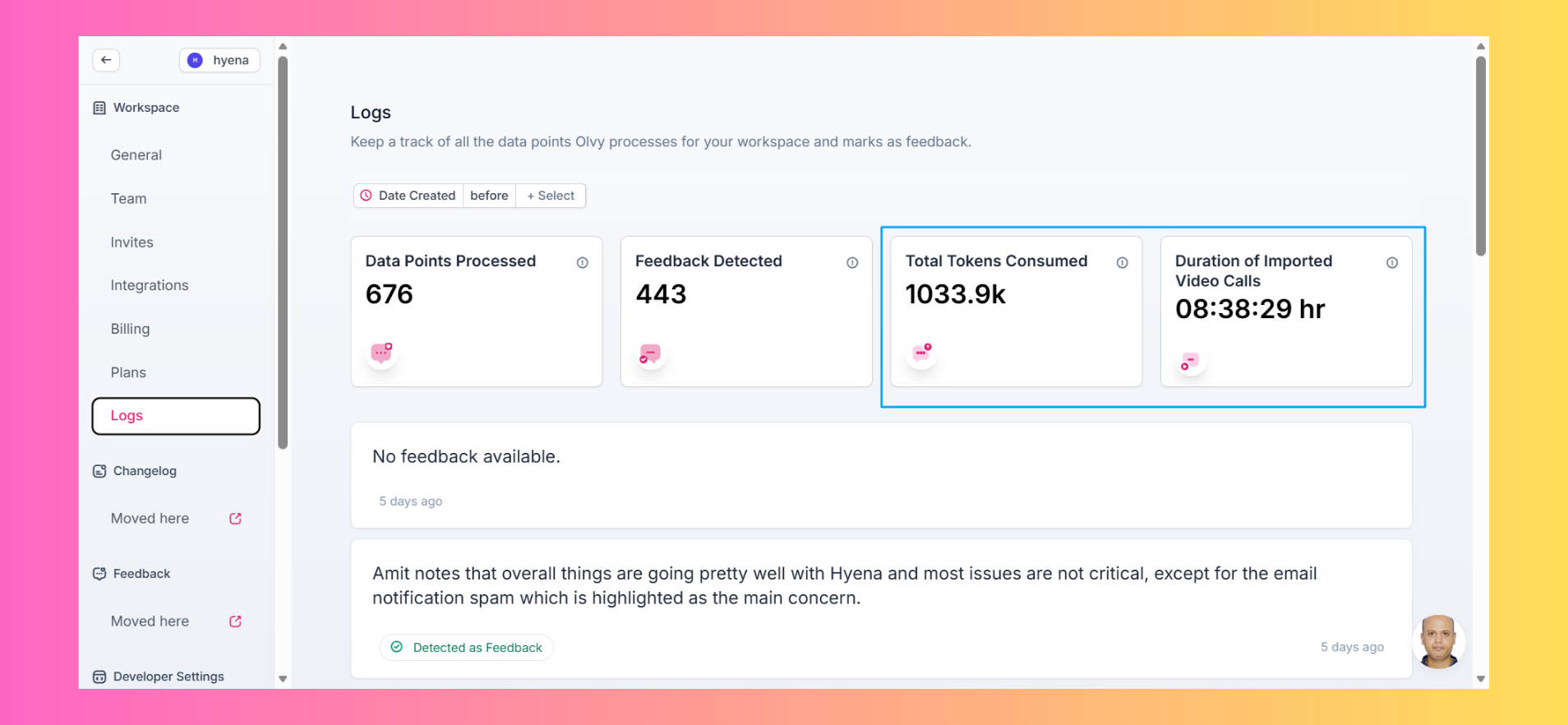
We've added visibility into:
AI token usage
Total duration of imported video calls
These metrics are now available under Settings → Workspace → Logs, giving you a clearer picture of how your workspace is using Olvy's AI-powered capabilities.


